

Not every piece of software running in the cloud qualifies as enterprise SaaS, and that distinction carries real consequences for large organizations making multimillion-dollar technology investments. Many procurement teams conflate "cloud-based" with "SaaS," only to discover later that their chosen platform demands significant internal infrastructure management, creates compliance gaps, or fails to scale across distributed teams. This guide cuts through that confusion, defines what enterprise SaaS actually means, explains the technical and operational characteristics that separate it from generic cloud software, and gives decision-makers a practical framework for evaluating and procuring the right solutions.
Table of Contents
- Defining enterprise SaaS: What sets it apart
- Core architecture: Multi-tenancy and operational readiness
- Integrations, identity, and governance: What large organizations require
- Procurement strategies: Choosing the right enterprise SaaS
- Why most enterprise SaaS decisions fail: Lessons from real-world implementations
- Find and compare enterprise SaaS solutions with confidence
- Frequently asked questions
Key Takeaways
| Point | Details |
|---|---|
| Enterprise SaaS definition | Enterprise SaaS delivers scalable, secure, and integrated solutions tailored for large organizations. |
| Multi-tenancy | Multi-tenant architecture allows efficient use of resources and logical separation for multiple customers. |
| Operational readiness | Identity integration, compliance, and governance are more important than basic network access. |
| Evaluation strategies | Procurement should prioritize integration, compliance, and ongoing governance over short-term price. |
| Continuous improvement | Treat SaaS selection and governance as ongoing processes to avoid common implementation failures. |
Defining enterprise SaaS: What sets it apart
The term "SaaS" gets applied loosely across the industry, which creates real problems for buyers. At its core, SaaS is cloud-delivered application software that customers access over a network, typically the internet, instead of installing and maintaining it locally. The vendor handles infrastructure, updates, and maintenance. You log in, use the software, and move on.
Enterprise SaaS takes that model further. It is specifically designed for large organizations with complex needs, including thousands of users, multiple departments, regulatory obligations, and existing technology ecosystems that new software must fit into. Scalability, reliability, and deep integration capabilities are not optional extras. They are baseline requirements.
"Enterprise-grade" is not a marketing label. It refers to a specific set of capabilities: role-based access controls, audit logging, SSO (single sign-on) support, data residency options, SLA guarantees above 99.9% uptime, and compliance certifications like SOC 2, ISO 27001, HIPAA, or GDPR readiness.
What separates enterprise SaaS from standard SaaS also includes how the vendor handles governance. Standard SaaS tools often give administrators limited visibility into user activity, data flows, and configuration changes. Enterprise SaaS provides centralized dashboards, detailed audit trails, and policy enforcement tools that compliance officers and IT security teams actually need.
A critical point that many buyers miss: cloud-based software is not automatically SaaS. Some cloud offerings shift infrastructure management, security patching, and update responsibilities back to the customer. That is closer to IaaS (Infrastructure as a Service) or PaaS (Platform as a Service) than true SaaS delivery. When evaluating vendors, ask directly who manages what. The answer tells you whether you are buying SaaS or simply renting server space.
Key features that define enterprise-grade SaaS include:
- Scalability: The platform handles growth from hundreds to tens of thousands of users without performance degradation.
- Compliance certifications: Vendors maintain current, auditable certifications relevant to your industry.
- Integration depth: Native connectors or robust APIs for ERP, CRM, HRIS, and identity providers.
- Governance tools: Centralized admin consoles, role-based permissions, and audit logs.
- Dedicated support: Named account managers, SLAs with financial penalties for downtime, and enterprise support tiers.
You can review SaaSpare's comparison methodology to understand how these criteria are weighted when evaluating platforms across categories. For broader software comparison insights, the platform covers 16 SaaS verticals with data pulled directly from vendor sites.
Core architecture: Multi-tenancy and operational readiness
Understanding why enterprise SaaS works at scale requires a look at the architecture underneath it. The most important technical concept here is multi-tenancy. Multi-tenancy is a core SaaS pattern where one deployed service instance serves multiple customer organizations, called tenants, with logical separation between them. Your data stays isolated from other customers even though you share the same underlying infrastructure.

This model is what makes SaaS economically viable for vendors and cost-effective for buyers. Instead of maintaining separate server environments for each customer, the vendor runs one optimized system and passes those efficiency gains along as lower per-seat pricing. For enterprise buyers, multi-tenancy also means faster feature rollouts, since updates deploy to all tenants simultaneously rather than requiring individual upgrade cycles.
Single-tenant deployments, where each customer gets their own isolated instance, are sometimes offered as a premium option for organizations with strict data residency or regulatory requirements. They cost more and require more vendor resources to maintain, but they eliminate the theoretical risk of data leakage across tenant boundaries.
Here is a direct comparison of the three main deployment models you will encounter:
| Feature | Multi-tenant SaaS | Single-tenant SaaS | Traditional software |
|---|---|---|---|
| Infrastructure management | Vendor | Vendor | Customer |
| Update responsibility | Vendor (automatic) | Vendor (scheduled) | Customer |
| Scalability | High, automatic | High, manual | Limited, costly |
| Cost model | Per seat, predictable | Higher, custom pricing | License + maintenance |
| Compliance control | Shared model | Greater customer control | Full customer control |
| Time to deploy | Hours to days | Days to weeks | Weeks to months |
Operational readiness goes beyond architecture. Enterprise-grade operational readiness covers identity integration, continuous compliance evidence, and governance across large, distributed SaaS ecosystems. This is where many platforms that look good on a feature checklist fall short in practice.
Identity integration means the platform connects seamlessly with your existing identity provider, whether that is Microsoft Entra ID (formerly Azure AD), Okta, Ping Identity, or another directory service. Without this, IT teams face manual provisioning and deprovisioning of user accounts, which creates security gaps and administrative overhead at scale.
Continuous compliance evidence means the vendor does not just hand you a SOC 2 report once a year and call it done. They provide real-time compliance dashboards, automated evidence collection, and audit-ready documentation that your security team can access at any time.
Pro Tip: Always ask vendors for their most recent compliance reports and request access to their trust portal or compliance dashboard before signing a contract. Annual certifications tell you where a vendor stood 12 months ago. Continuous evidence tells you where they stand today.
For teams evaluating cloud infrastructure options alongside SaaS, SaaSpare's coverage of AWS alternatives for SaaS provides useful context on how underlying infrastructure choices affect operational readiness. Understanding compliance and governance frameworks also helps buyers ask the right questions during vendor evaluations.
Integrations, identity, and governance: What large organizations require
Technical architecture matters, but procurement and product leaders spend most of their time on a different set of questions: Will this platform work with what we already have? Can we control who accesses what? How do we maintain visibility across dozens of SaaS tools?
Enterprise-grade operational readiness is defined by identity integration, continuous compliance evidence, and governance across large, distributed SaaS ecosystems. Each of these deserves specific attention during the buying process.
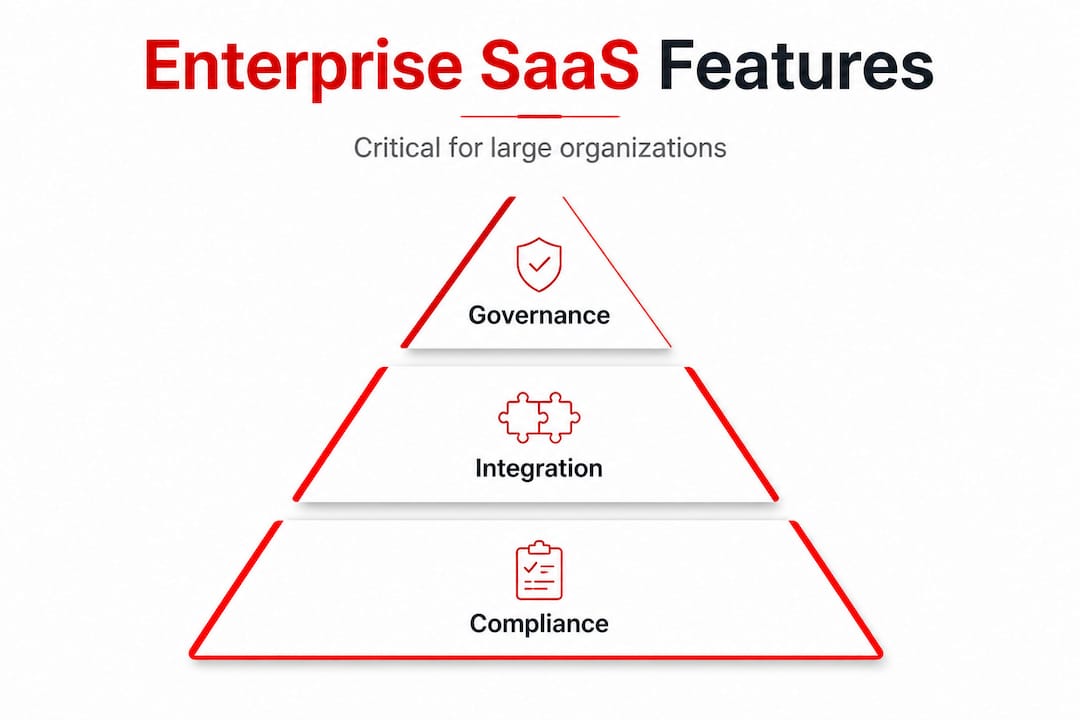
Integration depth is often underestimated during procurement. A platform may offer a Salesforce connector, but does it support bidirectional sync? Does it handle custom objects? Does the integration require a third-party middleware tool like Zapier or Workato, and if so, who pays for that? These questions add up to real costs and real complexity that do not appear in the initial pricing proposal.
Identity management is equally critical. Large organizations cannot afford to manage user access manually across 50 or more SaaS tools. SCIM (System for Cross-domain Identity Management) provisioning, SAML 2.0 or OIDC support for SSO, and just-in-time provisioning are table-stakes features for any enterprise SaaS platform. If a vendor does not support these, the platform is not enterprise-ready regardless of what their marketing says. SaaSpare's identity management comparison between 1Password Business and Okta illustrates how these capabilities differ even among established security vendors.
Governance at scale means your IT and compliance teams can see what is happening across the platform at all times. That includes who accessed what data, when configuration changes were made, which API calls were executed, and whether policy violations occurred. Without this visibility, large organizations fly blind on risk.
Here are three steps executives should take to vet any SaaS platform for enterprise use:
- Request a live demo of the admin console. Ask the vendor to show you audit logs, user provisioning workflows, and compliance dashboards in real time. A polished sales deck is not a substitute for seeing the actual product.
- Run a technical proof of concept with your IT security team. Test identity integration against your actual directory service, validate API documentation, and assess data export capabilities before committing to a contract.
- Review the vendor's shared responsibility model in writing. Understand exactly which security and compliance obligations fall on the vendor versus your organization, and confirm that your legal and compliance teams accept those terms.
Pro Tip: Involve IT security in the evaluation process from day one, not after the contract is signed. Security teams frequently identify integration gaps and compliance risks that business stakeholders miss, and retrofitting solutions after deployment costs significantly more than addressing them upfront.
Buyers should also watch for SaaS pricing traps that inflate total cost of ownership, including per-connector fees, API call limits, and premium support tiers that are effectively required for enterprise use but priced separately.
Procurement strategies: Choosing the right enterprise SaaS
Effective procurement starts with a clear-eyed view of what your organization actually needs versus what vendors want to sell you. The most common mistake is leading with features and price while treating integration and governance as secondary concerns. That order should be reversed.
Enterprise-grade operational readiness should anchor your evaluation criteria. Build your shortlist around platforms that demonstrate strong identity integration, continuous compliance evidence, and governance capabilities first. Then evaluate features, pricing, and vendor support within that qualified set.
Use this checklist when evaluating enterprise SaaS candidates:
- Scalability: Can the platform handle your projected user growth over three to five years without architectural changes?
- Compliance: Does the vendor hold current certifications relevant to your industry (SOC 2 Type II, ISO 27001, HIPAA, FedRAMP)?
- Integration: Does the platform offer native connectors for your critical systems, and are those connectors included in the base price?
- Support: What SLA guarantees does the vendor offer, and what are the financial penalties for violations?
- Cost transparency: Are per-seat charges, storage limits, API call limits, and support tiers clearly documented?
- Governance: Does the platform provide audit logs, role-based access controls, and compliance dashboards?
Here is an example scoring framework for comparing enterprise SaaS vendors across key criteria:
| Criteria | Weight | Vendor A | Vendor B | Vendor C |
|---|---|---|---|---|
| Scalability | 20% | 9/10 | 7/10 | 8/10 |
| Compliance certifications | 20% | 10/10 | 8/10 | 9/10 |
| Integration depth | 20% | 8/10 | 9/10 | 7/10 |
| Identity management | 15% | 9/10 | 8/10 | 6/10 |
| Support SLAs | 15% | 8/10 | 7/10 | 9/10 |
| Cost transparency | 10% | 7/10 | 6/10 | 8/10 |
| Weighted score | 100% | 8.6 | 7.7 | 7.9 |
This kind of structured scoring prevents procurement decisions from being driven by the most persuasive sales team rather than the best product fit. SaaSpare's procurement criteria framework follows a similar approach, and you can browse SaaS pricing and reviews across categories to benchmark vendor claims against real market data.
One pitfall that consistently derails enterprise SaaS deployments is underestimating long-term governance and integration costs. A platform that costs 20% more upfront but includes native integrations and a full governance suite often delivers lower total cost of ownership over three years than a cheaper option that requires middleware, custom development, and manual compliance work.
Why most enterprise SaaS decisions fail: Lessons from real-world implementations
Here is an uncomfortable truth that most vendor comparisons will not tell you: the majority of failed enterprise SaaS deployments do not fail because the software was bad. They fail because the organization was not ready to use it well.
Conventional procurement wisdom focuses on feature checklists and price negotiations. Those matter, but they are not where the real risk lives. The distinction that matters most is enterprise-grade operational readiness, specifically identity integration, continuous compliance evidence, and governance across large, distributed SaaS ecosystems. When organizations skip this evaluation, they end up with powerful software that nobody can manage securely at scale.
Siloed procurement is the most common root cause. Business units buy tools independently, IT learns about them after the fact, and compliance teams are brought in only when an audit looms. By that point, the organization has accumulated a fragmented SaaS portfolio with inconsistent access controls, overlapping functionality, and no coherent governance model. This is not a technology problem. It is an organizational process problem.
The hard-won lesson from watching hundreds of enterprise SaaS evaluations play out is this: treat SaaS selection as a continuous process, not a one-time event. Markets shift, vendors get acquired, pricing models change, and your organization's needs evolve. A platform that was the right fit two years ago may now be creating technical debt or compliance exposure.
Build a quarterly review cycle into your SaaS governance model. Assign ownership for each platform, track utilization against license costs, and reassess integration health regularly. The organizations that do this consistently find they spend less on SaaS overall while getting more value from the tools they keep. Browse real-world SaaS reviews to see how platforms perform in practice versus their marketing claims, and use that data to inform your ongoing governance reviews.
Find and compare enterprise SaaS solutions with confidence
Applying the frameworks in this guide requires reliable, unbiased data on how enterprise SaaS platforms actually perform and what they actually cost.
SaaSpare's SaaS comparison library covers 16 verticals with pricing data pulled directly from vendor sites, so you are comparing real numbers rather than sales team estimates. The shortlist builder helps you filter platforms by your specific requirements, including compliance certifications, integration support, and pricing model. And the deal radar surfaces free trials, pricing changes, and hidden fee alerts so you avoid the cost surprises that derail enterprise procurement. Start your evaluation with data you can trust.
Frequently asked questions
What makes software "enterprise SaaS" instead of just SaaS?
Enterprise SaaS is designed specifically for large organizations, featuring advanced integration, compliance certifications, governance tools, and operational readiness that standard SaaS platforms do not provide. The key distinction is enterprise-grade operational readiness, including identity integration, continuous compliance evidence, and governance across distributed ecosystems.
How is multi-tenancy relevant to enterprise SaaS?
Multi-tenancy enables scalable, cost-efficient resource use by serving multiple organizations from one deployed instance while maintaining logical data separation. This core SaaS pattern is what allows vendors to offer predictable per-seat pricing and automatic updates at enterprise scale.
Can cloud-based software always be considered SaaS?
No. Many cloud applications require customers to manage infrastructure, security patching, or updates themselves, which does not qualify as true SaaS delivery. Some cloud offerings shift more operational responsibility to the customer than typical SaaS, making them closer to IaaS or PaaS models.
How should enterprises evaluate SaaS solutions for procurement?
Focus first on operational readiness, including identity integration, compliance certifications, and governance capabilities, before comparing features and price. Enterprise procurement decisions that prioritize integration depth and continuous compliance evidence consistently deliver better long-term outcomes than those driven by feature lists alone.